I Made a Purchase and Didn't Receive It
If you made a purchase but didn't receive it in-game, don't worry, this is usually easy to resolve. Follow the steps below depending on how you made your purchase.
General Fix: Missing Purchase
If you made a purchase and it wasn't delivered to your account, please follow these steps:
Step 1. Create a Support Post
Go to our official Discord server and create a new post in the purchase support channel.
Step 2. Include the Required Information
In your post, please include the following information:
- Your player ID
- The date you made the purchase
- The GPA Transaction number of your purchase (see the [Google Play Transaction History]( Google Play) page for instructions on how to find this number)
Step 3. Wait for a Response
Wait for an administrator to review your request.
Please note: All the required information above is necessary to process your request. Incomplete information may result in us being unable to resolve the issue.
Recommended: Use the Flex City Webshop
For the fastest and most convenient way to purchase in-game items, we recommend using the official Flex City Webshop.
Webshop purchases are delivered to your game account as quickly as possible and are not affected by some of the payment and delivery issues that may occur with third-party payment platforms.
You can also get better prices and significant discounts on selected offers compared to regular in-game purchases.
Why use the Webshop?
- Fast delivery directly to your Flex City account
- Special prices and discounts
- More value for your money
- Fewer payment-related delivery issues
Whenever possible, we recommend making your purchases through the official Flex City Webshop.
Important: Avoid Using One Google Play Account for Multiple Game Accounts
Using the same Google Play Store account for multiple Flex City accounts can cause purchases to be delivered to the wrong account. Make sure each of your game accounts is linked to a separate Google Play account to avoid this issue.
Fix for PiX Purchases
If you used PiX to make an in-app purchase and the money was withdrawn but the item wasn't delivered, try the following steps first:
Step 1. Initialize the Same Purchase
Attempt to start the same purchase again. If that specific purchase isn't available, initialize any other available purchase instead.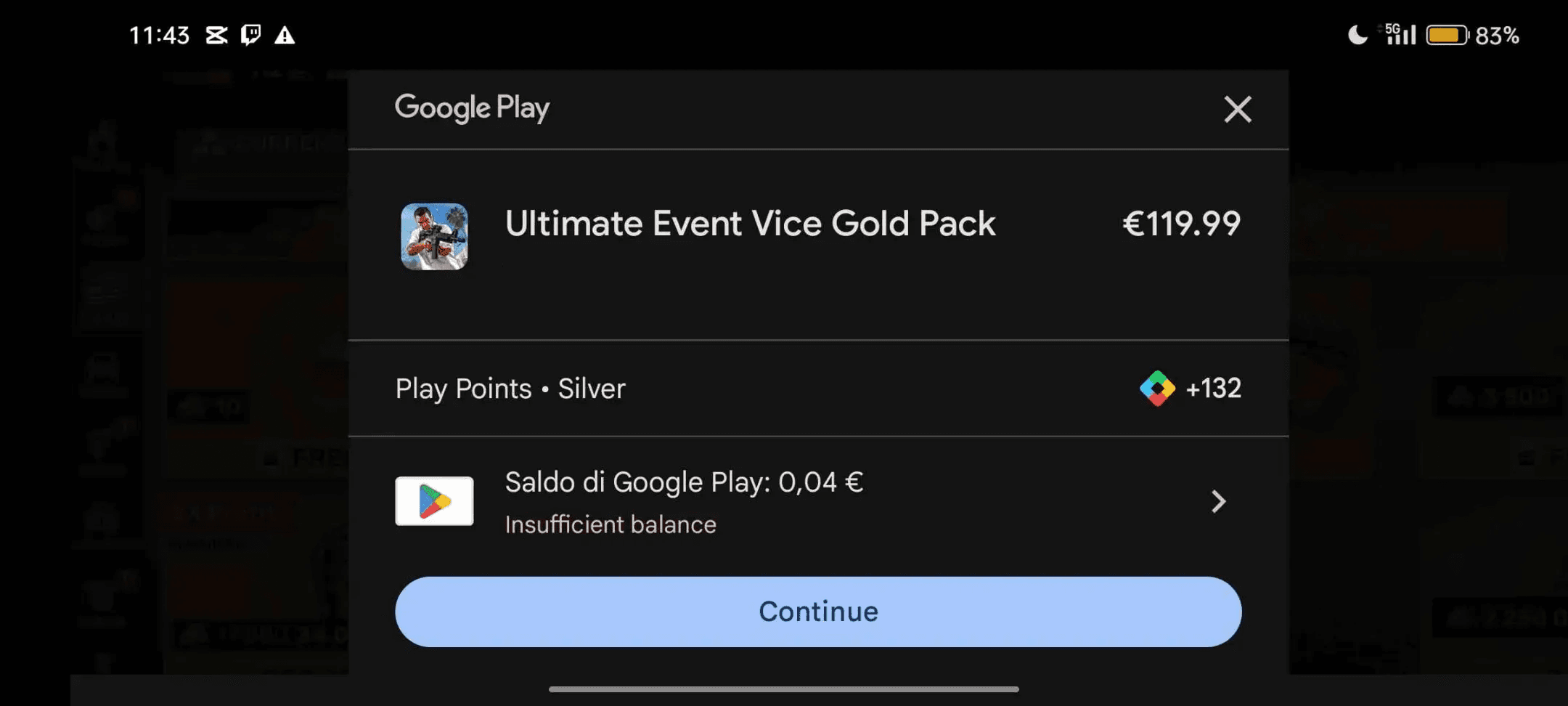
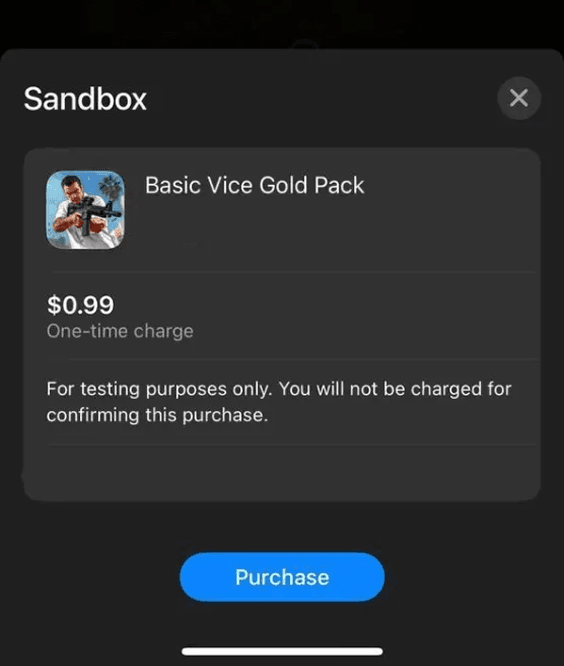
Click on the purchase, but do not buy it, just let the offer window appear.
Step 2. Cancel the Purchase
Do not complete the purchase. Simply close the offer window to cancel it.
Step 3. Wait for Completion
After canceling, wait a few minutes. Your original item should be delivered shortly.
If these steps don't resolve the issue, please provide us with your Google Play email or transaction number, which you can find in your [Google Play Transaction History]( Google Play).
Frequently Asked Questions
What information do I need to report a missing purchase?
Your player ID, the purchase date, and your GPA Transaction number.
Why didn't my purchase go through even though I was charged?
This can happen due to a temporary delivery delay, especially with PiX payments, or if you're using the same Google Play account across multiple game accounts.
Where can I find my GPA Transaction number?
You can find it in your [Google Play Transaction History]( Google Play).
How long does it take to resolve a missing purchase issue?
Once you submit your request with all required information, an administrator will review it. Resolution time can vary, so please be patient and make sure all details are accurate.